Key takeaways
- It comes down to one question: do you need to move it around? If portability matters, get a laptop. If it stays on a desk, a desktop is usually the better buy.
- Pound for pound, a desktop gives you more power, and it is cheaper and easier to upgrade and repair.
- Desktops also last longer, typically seven to ten years versus five to seven for a laptop, partly because they have no battery to wear out and run cooler.
- Laptops win on convenience: portability, a built-in screen, keyboard and battery, and a much smaller footprint.
- Laptops are cheaper to run, using roughly a third of the electricity of a typical desktop, and they tend to hold their resale value better.
- For many homes the ideal is a capable laptop for everyday use, or a desktop for heavy work like gaming and video editing, and we can advise on the right choice.
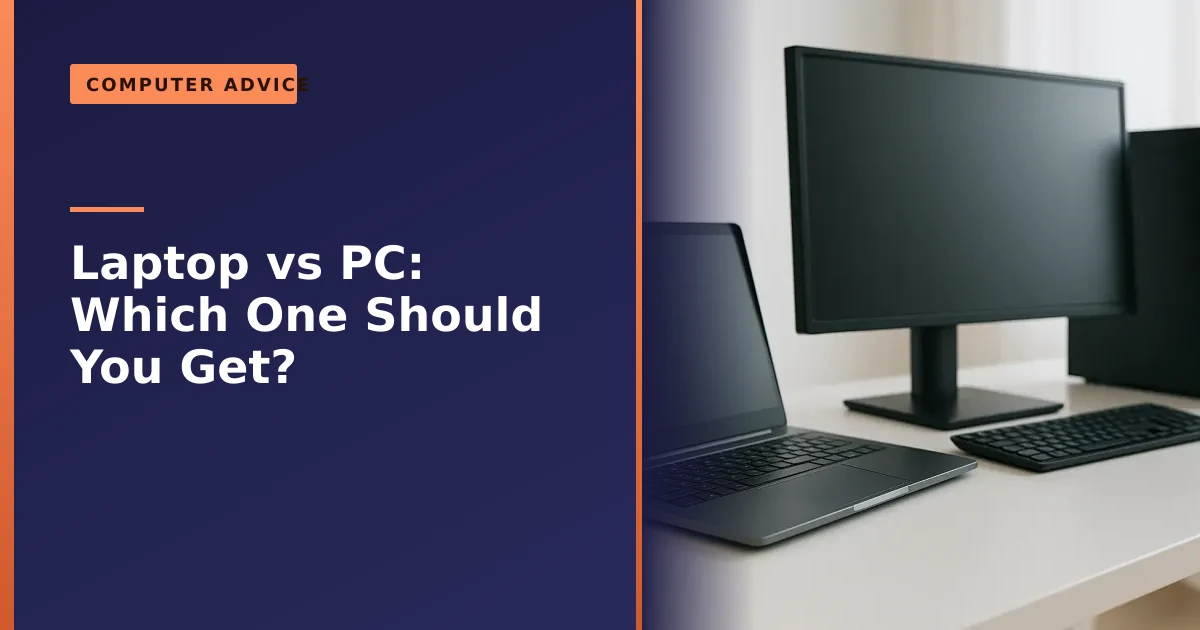
Laptop or desktop PC: which should you get? The honest answer hinges on a single question, do you need to move it around? If you want to work from the sofa, a cafe or different rooms, a laptop is the obvious choice. If your computer will live on a desk, a desktop PC gives you more power for your money, lasts longer, and is far easier and cheaper to upgrade and repair. This guide weighs up both so you can choose with confidence.
We sell, build, upgrade and repair both laptops and desktops for people across Manchester, so we have no axe to grind either way. Here is the genuine, balanced comparison we would give a friend deciding between the two, with the up to date 2026 detail that actually changes the decision: performance per pound, running costs, repairability, longevity, gaming, ergonomics, resale and total cost of ownership.
The short answer: it is about portability
Strip away the detail and the decision is mostly about whether you need to carry your computer. A laptop packs the screen, keyboard, trackpad and battery into one portable unit you can use anywhere. A desktop stays put, but in exchange gives you more performance, easier upgrades and a longer life.
So ask yourself honestly how you will use it. If you genuinely need it to be portable, even just around the house, a laptop is the answer despite its trade-offs. If it will sit on a desk almost all the time, a desktop is usually the smarter, better-value choice. Everything below is really just the detail behind that one question, and it is worth reading because the gap between the two is bigger in some areas (power for your money, repairability) and smaller in others (everyday speed) than most people assume.
Laptop vs desktop at a glance
| Factor | Laptop | Desktop PC |
|---|---|---|
| Portability | Excellent, use it anywhere | None, stays on the desk |
| Power for the money | Costs more for the same speed | More performance per pound |
| Upgradeable | Limited (often just storage) | Excellent (RAM, GPU, storage, more) |
| Repairability | Harder, more costly | Easier, cheaper parts |
| Typical lifespan | 5 to 7 years | 7 to 10 years |
| Running cost | Lower, around a third of a desktop | Higher, more power drawn |
| Battery | Built in, but wears out | None to degrade |
| Ergonomics | Poorer unless you add accessories | Better, screen at eye level |
| Resale value | Holds value better, bigger market | Smaller second-hand market |
| Footprint | Tiny, all in one | Larger, needs desk space and a monitor |
| Best for | Portability, everyday use | Power, gaming, creative work, longevity |
The case for a laptop
Laptops have come a long way, and for a great many people they are now all the computer they need. Their headline advantage is obvious: portability. You can work in the garden, take it to a meeting, study in the library or browse on the sofa, which a desktop simply cannot do. Everything is built in, the screen, keyboard, trackpad and battery, so there is nothing extra to buy or find space for.
Modern laptops are also genuinely capable. With fast SSDs, efficient processors and long battery life, a good laptop handles web browsing, office work, streaming and even light gaming with ease. For a typical home or a student, a well-chosen laptop is often the most sensible buy. The trade-offs are that you pay more for the same performance as a desktop, the battery degrades over a few years, and upgrades are limited, points worth weighing if power and longevity matter to you.
There is one more quiet advantage that rarely makes the spec sheet: a laptop carries on through a power cut, because the battery is effectively a built-in backup, and in a small flat the ability to close the lid and tidy it away is worth more than it sounds. If your laptop has started to feel sluggish rather than old, our guide on why your laptop is running slow often gets it back to life before you spend anything on a replacement.
The case for a desktop PC

If portability is not essential, a desktop wins on almost every other measure. Pound for pound it gives you noticeably more power, because desktop components are cheaper and run cooler than their cramped laptop equivalents. The same money buys a faster processor, more memory and a larger SSD.
The bigger long-term advantages are upgradeability and repairability. In a desktop you can easily swap the graphics card, add memory, fit a bigger SSD or replace the power supply, often in minutes with cheap, standard parts, which keeps the machine current for years. Our guide on building a new PC covers this flexibility. By contrast, many laptops now have their memory soldered in and are far more involved to repair. Better cooling and no battery to wear out mean desktops also simply last longer, commonly seven to ten years against five to seven for a laptop. As guides like TechRadar's comparison conclude, for raw value and longevity the desktop remains hard to beat.
A desktop is also quieter and cooler under sustained load, because there is room for proper fans and heatsinks. A thin laptop has to push the same heat out of a much smaller box, so it gets hot, the fans spin up, and the processor quietly slows itself to protect itself, a behaviour called thermal throttling. On a desktop doing the same long job, like exporting a video, you keep your full speed from start to finish.
Performance per pound: what you really get
This is where the desktop lead is widest, and it is worth understanding why. A laptop has to fit a screen, keyboard, trackpad, battery and cooling into a slim, light shell, and you pay for all that engineering. A desktop spends your money almost entirely on raw components, so more of every pound turns into speed.
The gap is largest with graphics. A laptop graphics chip and its desktop namesake are not the same part. To fit the power and heat budget of a thin chassis, laptop GPUs run at a lower power limit, so a laptop carrying an "RTX 5080" can deliver meaningfully less than a desktop card of the same name, often by around 30 percent in 2026 testing. Several 2026 comparisons put a desktop tens of percent ahead in frames per pound at the same price, and that gap is wider still in the UK, where 20 percent VAT and import and currency costs push graphics prices above the global average. If gaming or 3D performance is your priority, a desktop simply stretches the budget further.
For everyday tasks the picture is closer. Browsing, email and video calls are bursty: they need a quick turn of speed then sit idle, and a good modern laptop feels every bit as snappy as a desktop here. The desktop pulls ahead when work is sustained and heavy. So the honest summary is this: for light use the value gap barely matters, but the harder you push the machine, the more a desktop gives you for your money.
Running costs and power use
Laptops are designed around a battery, so every component is built to sip power, and that efficiency shows up on your electricity bill. A typical laptop draws roughly 50 watts in normal use, while a typical desktop tower draws around 140 watts, and a gaming desktop under load can draw several hundred. In round terms a laptop uses about a third of the electricity of an everyday desktop for the same kind of work.
At typical UK electricity prices a laptop used for several hours a day costs only a few pounds a year to run, while an everyday desktop costs a modest amount more and a powerful gaming desktop noticeably more again, because a hungry processor and graphics card pull a lot of power when you game or render. This is not a reason to choose a laptop on its own, the yearly running-cost gap is smaller than the price gap at the till, but if the machine will be on all day every day it is a genuine point in the laptop's favour, and a desktop leaves a slightly larger carbon footprint too.
If you do choose a desktop, you can trim its running cost easily: set Windows to sleep after a short idle, switch the monitor off when you walk away, choose an efficient, correctly rated power supply rather than an oversized one, and turn the machine fully off overnight.
Upgradeability and repairability in 2026
This is the area that has shifted most, and it decides whether your computer can grow with you or has to be thrown away when one part gives up. A desktop is built from standard, separate parts that almost anyone can replace: pop the side panel, and the memory, storage, graphics card and power supply are all there in sockets, held by a few screws. When it feels slow you upgrade a part; when something fails you swap that one part, not the whole machine.
Laptops have gone the other way. To make them thinner and lighter, manufacturers increasingly solder the memory directly to the board, glue components in place and use proprietary parts, which means on many 2026 laptops the only thing you can upgrade is the storage, and sometimes not even that. Independent repairability analyses in 2026 ranked brands like Framework and parts of Lenovo's range highly for using screws, modular parts and published service guides, while some popular thin-and-light models from major brands scored poorly because so much is fixed in place. The practical upshot is simple: buy enough memory in a laptop on day one, because you usually cannot add more later.
There is some good news on the horizon. Right to repair rules are tightening, with the EU's directive due to be carried into national law across member states around mid 2026, pushing makers to supply spare parts and stop designing repairs out of their products. We have written more on what that means for owners in our piece on the right to repair. Whatever you buy, the upgrade jobs that give the best return are the same: moving to an SSD if you are still on a hard drive, and adding memory where the design allows it. Both are far easier and cheaper on a desktop, but worth doing on either.
Longevity and the battery question
A big reason desktops last longer is that they have no battery to wear out. Every laptop battery is a consumable, just like the brake pads on a car. Lithium-ion cells typically give around 300 to 1000 charge cycles, and most hold roughly 80 percent of their original capacity after about 500 cycles, which is why real-world battery life usually starts to fade noticeably somewhere between two and five years. When the battery will no longer see you through the day, you either pay to replace it or learn to live tethered to the mains.
You can slow this down. Heat is the enemy, so keep the laptop off soft surfaces like beds and sofas that block its vents, and try to keep the charge between about 20 and 80 percent rather than constantly topping up to 100, which many laptops can now do automatically with a battery-care setting. Our guides on improving battery performance and on looking after your laptop go further, and if a battery has already stopped charging properly our battery not charging guide is the place to start.
A desktop sidesteps all of this. With no battery, more generous cooling and parts you can refresh one at a time, a well-kept desktop commonly stays useful for seven to ten years, against five to seven for most laptops. That does not make laptops disposable, but it does explain why a desktop tends to keep up for longer with less ongoing spend.
Which is better value over time?
Up front, a laptop and a desktop of similar everyday performance may look comparably priced once you add a monitor, keyboard and mouse to the desktop. But over the years, the desktop usually proves better value, for two reasons.
First, upgrades. When a desktop starts to feel slow, you can fit more memory or a new graphics card for a modest sum and carry on, rather than replacing the whole machine. Our guides on SSD upgrades and adding memory apply far more easily to a desktop. Second, repairs. When something fails, desktop parts are cheaper and the job is quicker, so a repair almost always makes sense, whereas an out-of-warranty laptop repair can sometimes approach the cost of replacement, as our guide on repair versus replace explains. A laptop's portability is worth paying for if you need it, but if you do not, that premium is money that could buy more power or a longer life in a desktop.
Resale value and total cost of ownership
Value is not just what you pay, it is what you get back. Here laptops have one clear edge: there is a much bigger second-hand market for them, so they are easier to sell on, and well-known brands in particular tend to hold their price. Industry depreciation data suggests a typical Windows laptop loses a large chunk of its value in the first year, while premium models, MacBooks especially, hold their price better thanks to strong demand and long software support. Desktops, by contrast, have a smaller resale audience, so they can be harder to move on even when they are still perfectly good.
But resale is only half the sum. The other half is how long the machine stays genuinely useful, and here the desktop quietly wins. A four-year-old desktop can be given fresh life with a new SSD, more memory or a newer graphics card; a four-year-old laptop with a tired battery and soldered parts is often near the end of its road. So a laptop may sell for more, but a desktop often serves you for longer before you need to sell at all. When you weigh total cost of ownership, count the purchase price, running cost, likely repairs and upgrades, and resale value together, not the sticker price alone.
Mini PCs and all-in-ones: the middle ground
The choice is not only between a slim laptop and a big tower. Two other shapes sit in between and suit a lot of people. A mini PC is a tiny desktop, often no bigger than a paperback, that you connect to your own monitor, keyboard and mouse. Modern mini PCs are surprisingly capable, sip very little power (commonly 15 to 65 watts), and for most everyday users, browsing, office work, streaming and casual gaming, they genuinely can replace a full tower while taking up almost no space and even mounting behind the screen.
An all-in-one builds the whole computer into the back of the monitor, so you get a desktop-class experience with the tidy, single-unit look of a laptop, Apple's iMac being the best-known example. It is a lovely solution for a clean desk or a family computer in the kitchen. The trade-off with both shapes is the same one laptops face: they are compact, so upgrades are limited, the memory is often soldered, and repairs can be more involved than on a standard tower. If a tidy all-in-one appeals, we also handle iMac repairs and upgrades. Think of mini PCs and all-in-ones as the comfortable middle: more power and a proper screen setup than a laptop, but without the full upgrade freedom of a tower.
Gaming, work, study and creative use
The right choice often depends less on a spec sheet and more on what you actually do. Here is how the main uses tend to fall.
- Gaming. For serious gaming a desktop is usually the better buy: more frames per pound, better cooling, quieter running and, crucially, the ability to drop in a new graphics card in a year or two rather than replacing everything. A gaming laptop adds portability and is genuinely capable, but you pay a premium and it dates faster.
- Work and the home office. If you move between rooms, hot-desk or travel, a laptop wins outright. If you work at one desk all day, a desktop (or a mini PC) with a proper monitor is kinder to your body and your wallet. Businesses can lean on our business computer support across Manchester.
- Study. For most students a laptop is the obvious choice: you need it in lectures, the library and your accommodation, not just at a desk.
- Creative work. Photo and video editing, music production and 3D work all reward the desktop's sustained power, cooling and big, colour-accurate screens. A high-end laptop can do it on the move, but a desktop gives more headroom for the money and longer before it feels slow.
Ergonomics and your health
This point is easy to overlook and genuinely important if you spend hours at the screen. A laptop forces a compromise: when the keyboard is at a comfortable height your screen is too low, and when the screen is at the right height the keyboard is too high. That tends to pull your head and shoulders forward, and over time that posture is a common cause of neck, shoulder and back ache.
A desktop is far easier to set up well, because the monitor, keyboard and mouse are separate and adjustable. The UK's Health and Safety Executive advises positioning the top of the screen roughly level with your eyes and about an arm's length away, with relaxed shoulders and the keyboard just below elbow height, which a desktop achieves naturally. The good news is that a laptop can be made nearly as healthy: add a separate keyboard and mouse and raise the laptop on a stand so the screen sits at eye level, and you get the portability of a laptop with the posture of a desktop. Whichever you choose, the single best thing you can do is take regular short breaks and move, because no setup is healthy if you sit still in it all day.
Common mistakes when choosing
A few errors come up again and again when people pick between a laptop and a desktop. Avoiding them will save you money and frustration.
- Buying a laptop "just in case" you need to move it. If it will honestly live on a desk, you are paying a portability premium for nothing. Be realistic about how often you will actually carry it.
- Skimping on memory in a laptop. Because laptop RAM is often soldered and cannot be added later, the amount you buy on day one is usually the amount you are stuck with for life. Buy a little more than you think you need.
- Forgetting the extras on a desktop. A desktop tower needs a monitor, keyboard and mouse, so compare like for like when you look at the price.
- Chasing a big number you will never use. A high-end gaming laptop or workstation is wasted money if you only browse and email. Match the machine to the task.
- Ignoring the battery's lifespan. A laptop battery is a wear part. Factor in that it may need replacing in a few years, and look for a model where that is a straightforward job.
- Overlooking ergonomics. If you choose a laptop for heavy desk use, budget a few pounds for a stand, keyboard and mouse. Your neck will thank you.
So which should you choose?
To make it concrete, here is how the decision usually falls:
- Choose a laptop if you need to use your computer in more than one place, travel or commute with it, are short on desk space, want lower running costs, or simply value the convenience of an all-in-one portable machine for everyday tasks.
- Choose a desktop if it will mostly stay on a desk and you want the most power for your money, the best gaming or creative performance, easy upgrades, cheaper repairs, better ergonomics and the longest life.
- Consider a mini PC or all-in-one if you want a desk machine that is tidy and power-efficient and you do not need heavy gaming or full upgrade freedom.
- Consider both, or a hybrid, if your needs are mixed: many households pair a desktop for serious work or gaming with a cheaper laptop or tablet for portability, which often works better than forcing one machine to do everything.
If you do run two machines, keep your files in step so it never matters which one you are sat at. Our guide on cloud storage versus an external drive explains the simplest ways to do that. There is no universally right answer, only the right answer for how you actually work and play, which is exactly the kind of thing we are happy to talk through honestly.
How Manchester PC can help
Whether you have decided on a laptop, a desktop, or you are still weighing it up, we can help you get the right machine and keep it running well. We offer honest buying advice, custom desktop builds tailored to your needs and budget, upgrades to extend the life of whatever you choose, and repairs for both laptops and desktops when something goes wrong. You can read more about our computer services if you want the full picture.
We cover Manchester and the surrounding areas with free local collection and return and straight-talking advice with no sales pressure. Whether it is a laptop or a desktop computer, get a free, no-obligation quote or call us on 0161 820 1992, and we will help you choose and look after the right one.