Key takeaways
- Water cooling looks dramatic but, in modern sealed AIO coolers, leaks are genuinely rare, with leak rates well under 0.1 percent over the cooler's life.
- The bigger real-world risk is not a leak but a pump failure, which can cause sudden overheating, or gradual coolant loss that shortens the cooler's life to around five to seven years.
- Custom water-cooling loops carry much higher risk, as their many fittings and user assembly are where most leaks happen.
- For most people, a quality air cooler is the safer, simpler, lower-maintenance choice, and it is plenty for everyday and mid-range systems.
- Water cooling earns its place on high-end or overclocked machines, where the extra cooling and quieter running are worth the small added risk.
- Learning to watch your temperatures is the single best habit, because it catches a failing pump or a tired cooler long before it damages anything.
Is water cooling dangerous for your PC? It is a fair worry, the idea of liquid running next to expensive electronics sounds alarming, but the honest answer is more reassuring and more nuanced than the horror stories suggest. In modern sealed all-in-one (AIO) coolers, leaks are rare. The more realistic risks are pump failure and gradual coolant loss over the years, and those of a custom loop are higher again. This guide explains the genuine dangers, how likely they really are, and when a simpler air cooler is the wiser choice.
We build, repair and diagnose both air- and liquid-cooled PCs for customers across Manchester, so here is a balanced, real-world look at the risks rather than scaremongering or hype. By the end you will know exactly what can go wrong, how often it actually does, what the warning signs look like, and which type of cooler suits the machine you are planning or already own.
How water cooling actually works
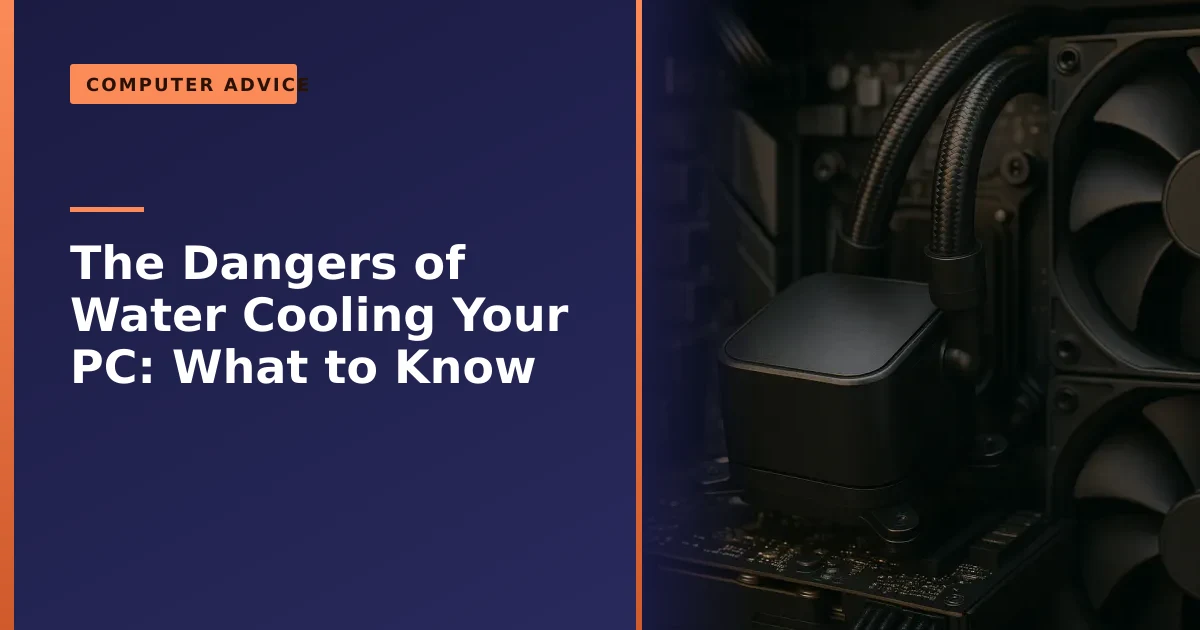
Before we talk about what goes wrong, it helps to understand what is happening inside the loop, because most of the fear around water cooling comes from not knowing how tidy and self-contained a modern cooler really is. The principle is the same one your car has used for over a century. As Wikipedia's overview of computer cooling puts it, liquid cooling works much like a car engine, with coolant circulated by a pump through a block mounted on the processor.
An AIO has four main parts working together. A water block sits flat on top of the processor and draws heat into the liquid. A small pump, usually built into the block, pushes the warm coolant along sealed tubing to a radiator, where fans blow the heat out of the case. The cooled liquid then loops back to the block and starts again. Water carries heat away far better than air does, thanks to its higher heat capacity, which is exactly why the technology exists in the first place.
The crucial point is that an AIO is a closed, factory-sealed system. It arrives pre-filled, with moulded fittings and no joints for you to assemble, so the only parts you ever touch are the mounting bracket and the fan screws. You never open the liquid circuit. That single design choice is the reason sealed coolers are so much safer than the open custom loops people picture when they hear "water cooling".
The fear: leaks. The reality: rare
The big fear with water cooling is a leak dripping coolant onto your motherboard, graphics card or power supply and frying them. It is a real possibility, but a far less likely one than people imagine, at least with a modern sealed AIO cooler. Industry figures put the leak rate for reputable AIOs extremely low: Corsair, for example, reports a leak failure rate of just 0.016 percent, and the broader industry figure sits well under 0.1 percent across a cooler's typical five to seven year life.
To put 0.016 percent in plain terms, that is roughly one unit in every six thousand. Even taking the more cautious industry-wide figure of under 0.1 percent, that is fewer than one in a thousand. You are statistically more likely to have a hard drive fail or a fan seize than to suffer an AIO leak. The fear is loud because the outcome is dramatic, not because the event is common.
In other words, the vast majority of AIO owners will never experience a leak. So while a leak is the scariest outcome, it is not the most likely one, and as PC Gamer's look at liquid-cooling safety concludes, for a quality AIO the risk is genuinely low.
It is also worth knowing when leaks tend to happen, because failures follow a predictable shape that engineers call the bathtub curve. The small risk is highest in the first few weeks (a manufacturing defect or a cooler knocked about during installation), then drops to almost nothing for the stable middle years, then creeps back up once the cooler passes the five-year mark and its materials age. The middle of an AIO's life is the safest part, which covers the years you use the machine most.
The bigger real-world risk: pump failure
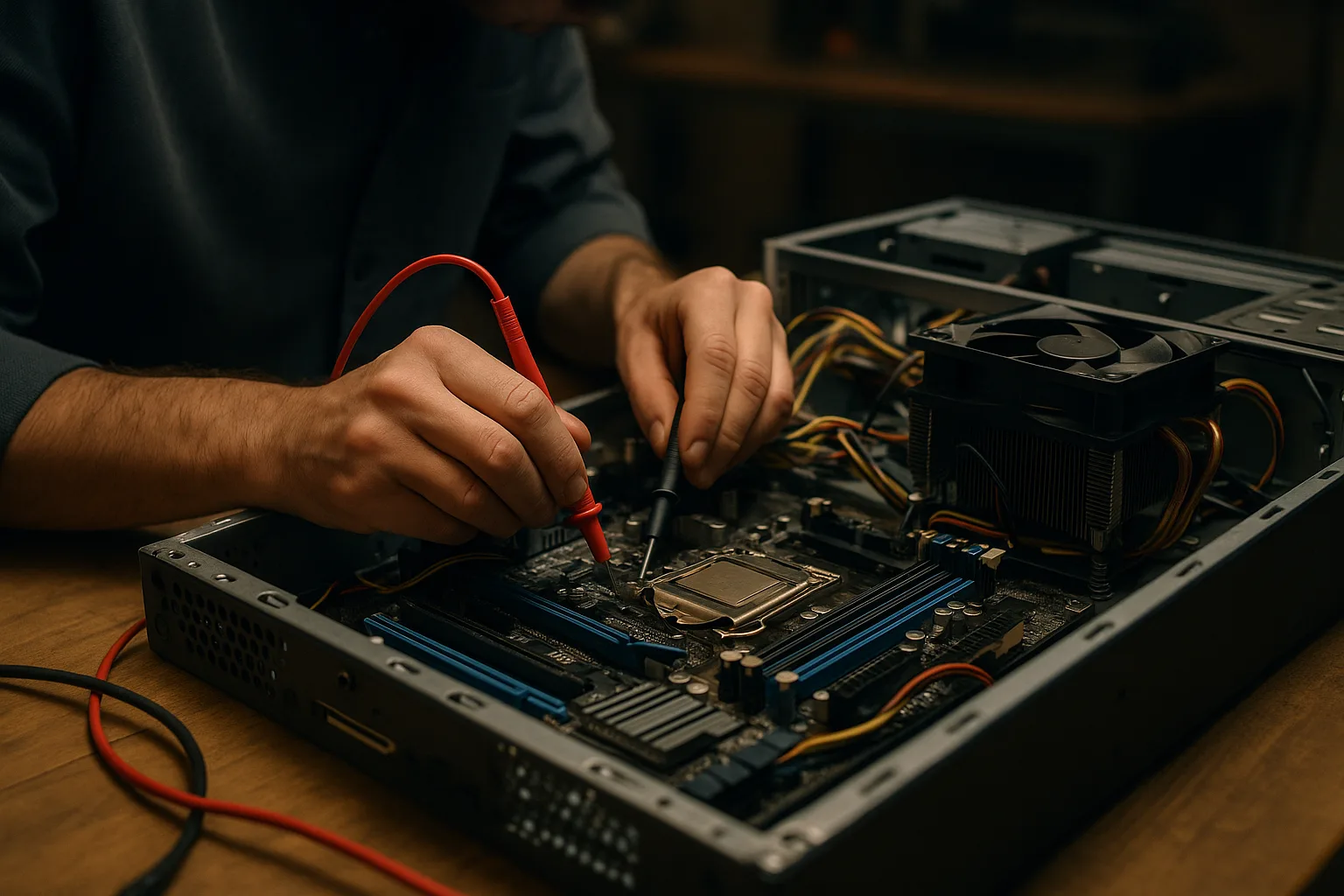
Here is what people worry about less but actually happens more: the pump fails. An AIO relies on a small pump to circulate the coolant, and when that pump dies, cooling stops almost instantly. Unlike an air cooler, which keeps providing some cooling even if its fan slows, a dead water-cooling pump can let the processor overheat rapidly, even when the machine is sitting idle, leading to throttling, sudden shutdowns and crashes.
This is why the failure mode matters more than the failure rate. An air cooler degrades gracefully: a clogged or slowing fan still moves some air over a large metal heatsink, so temperatures climb slowly and you get plenty of warning. A failed pump removes cooling almost completely in seconds, because a radiator with no flowing liquid is just a lump of metal sitting away from the chip. Modern processors protect themselves by throttling and then shutting down at around 100 to 105 degrees, so a healthy chip will usually survive a dead pump, but the experience is alarming and the downtime is immediate.
Pumps are mechanical parts with a finite life. Manufacturers commonly rate them at tens of thousands of hours, which sounds like a decade on paper, but bearings wear, and a pump that runs hot or is fed power inconsistently can fail well before its rating. It is a wear-out risk rather than a defect, but it is the most common reason an AIO needs replacing.
If a liquid-cooled PC suddenly starts overheating or shutting down, a failed pump is a prime suspect, and it is the kind of fault our guide on random crashes and restarts helps you spot. A quick early test costs nothing: with the side panel off, gently rest a finger on the pump housing or the tubing shortly after switching on. A working pump produces a faint vibration and, within a few minutes, the tube leaving the block feels warmer than the one returning. Silence, no vibration and tubes that stay stone cold while the processor temperature climbs are classic signs the pump has stopped.
The slow one: coolant loss over time
The third risk is the quietest: gradual coolant loss. Even in a sealed AIO, a tiny amount of liquid slowly escapes through the tubing over years, a process called permeation. You cannot top a sealed AIO up, so as the coolant level drops, air gets into the loop, you may hear gurgling, and cooling performance steadily declines.
Permeation is not a leak or a fault, it is simple physics. Coolant molecules pass extremely slowly through the microscopic structure of the rubber and plastic tubing, a kind of slow-motion evaporation that no sealed cooler can fully prevent. You will never see a drop of liquid, but over several years enough escapes to let air pockets form. That trapped air is why an ageing AIO often develops a faint gurgling sound, and why its temperatures slowly creep upward even though nothing has obviously broken.
This is the main reason AIO coolers have a limited effective lifespan, usually around five to seven years, even if the pump is still running. It is not dangerous in the way a leak is, but it does mean a liquid cooler is a part that will eventually need replacing, unlike a good air cooler that can run almost indefinitely. Most warranties cover an outright failure but not this gradual decline, so it is worth treating an AIO as a consumable part with a service life, and factoring that into the cost and maintenance of a liquid-cooled build.
AIO, air and custom loops compared at a glance
Most cooling decisions come down to three options, and they sit at very different points on the scale of risk, effort and performance. The table below sums up how they compare on the things that actually matter day to day.
| Factor | Air cooler | Sealed AIO | Custom loop |
|---|---|---|---|
| Leak risk | None (no liquid) | Very low (well under 0.1 percent) | Highest, most leaks happen here |
| Main failure mode | Fan slows or stops (gradual) | Pump fails or coolant permeates away | Fittings, seals, pump, plus user error |
| Typical lifespan | A decade or more | Around five to seven years | Long, but only with regular upkeep |
| Maintenance | Occasional dust-out | Dust-out, then replace when tired | Periodic drain, flush and refill |
| Peak cooling | Excellent for most chips | Best for the hottest chips | Highest of all |
| Noise | Very quiet to moderate | Quiet, with some pump hum | Quiet if built well |
| Best suited to | Most everyday and gaming PCs | High-end and overclocked builds | Enthusiasts who enjoy the hobby |
The pattern is clear. As you move from air to AIO to custom loop you gain a little cooling headroom and a lot of visual drama, but you also take on more parts that can fail and more upkeep. For most people the sweet spot is air or a good sealed AIO, and we cover how this fits a wider build in our guide on building a new PC.
Custom loops: much higher risk
Everything above applies to sealed AIO coolers, which is what most people mean by water cooling today. Custom or open-loop water cooling, where you assemble the radiator, pump, reservoir, fittings and tubing yourself, is a very different proposition, and a far riskier one.
Most water-cooling leaks happen in custom loops, because they have many hand-assembled fittings, soft tubing and seals, any of which can be installed incorrectly, work loose, or fail over time, especially after the system is moved. A single fitting that is a quarter-turn short can weep coolant onto whatever sits below it, which is why experienced builders leak-test a new loop with the rest of the system unpowered for hours, or even overnight, before they trust it with live components.
Custom loops also need genuine ongoing maintenance. Coolant should be drained and refilled periodically, because over time it can grow biological gunk or react with mixed metals in the loop, clogging the fine channels of the water block and starving the processor of cooling. They can look spectacular and cool extreme systems brilliantly, but they are an enthusiast's hobby, not a fit-and-forget solution, and they demand knowledge, care and ongoing upkeep. For the vast majority of users, a custom loop is more risk and effort than it is worth.
Signs your cooling is failing
Whatever cooler you run, the danger is almost never the hardware itself, it is ignoring the early warnings. Cooling problems announce themselves clearly if you know what to listen and look for, and catching them early is what turns a frightening shutdown into a quick, cheap fix. Watch for these signs:
- Sudden shutdowns or restarts under load. If the machine cuts out during a game, a render or a big update but behaves at idle, heat is the prime suspect. This is the processor protecting itself by shutting down before damage occurs.
- Stuttering and dropping performance. Frames dropping mid-game or a programme that suddenly slows to a crawl often mean the chip is throttling, deliberately reducing its speed to shed heat.
- Fans roaring constantly, even at idle. If the cooling sounds like it is working flat out doing nothing, the system is fighting heat it should not be producing.
- Gurgling or trickling from an AIO. A liquid sound usually means air has got into the loop through permeation, a sign the cooler is reaching the end of its useful life.
- A pump that is silent or still. No faint vibration from the pump housing on an AIO, combined with rising temperatures, points to a failed pump.
The best habit by far is to actually watch your temperatures rather than guess. Free, trusted tools such as HWiNFO, HWMonitor or Core Temp show your processor and graphics temperatures in real time. As a rough guide, most desktop processors idle somewhere around 35 to 50 degrees and sit comfortably at 70 to 85 degrees under heavy load. Readings consistently pushing past 90 degrees, or a chip that hits around 100 to 105 degrees and throttles or shuts down, tell you the cooling cannot keep up. If you suspect heat is behind a wider slowdown, our guides on why a machine runs slow and helping it run faster are a useful next read.
What to do if your cooler leaks
If you ever do find liquid inside your PC from a cooler, act calmly and quickly, because the damage usually comes from running the system while wet, not from the brief contact itself:
- Switch the PC off immediately at the power button and switch off the power supply at the wall. Do not let it keep running.
- Disconnect the power fully and do not turn it back on to test it.
- Identify and dry the affected parts. Many components survive a small amount of coolant if you dry everything thoroughly and let it sit for a day or two before powering up.
- Get it checked. If coolant has reached the motherboard, graphics card or power supply, have it professionally inspected before using the machine again, and report the leak to the cooler's manufacturer, as a reputable brand's warranty often covers damage caused by a leak.
A few don'ts matter just as much. Do not use a hairdryer on a hot setting, which can melt plastic and push moisture deeper into sockets, and do not switch the machine on "just to see if it still works", which is the most common way a recoverable spill becomes a dead motherboard. If the leak has soaked a drive, your priority shifts to the data on it, which is exactly when our guidance on why backing up your data is critical pays for itself. Catching it fast is what saves the components, so speed matters far more than panic.
Maintenance and what each cooler really costs over its life
One of the most overlooked dangers of water cooling is not physical at all, it is the assumption that an AIO is fit-and-forget when it is closer to a consumable part. Thinking about the whole service life, not just the day you buy it, leads to better decisions and fewer nasty surprises.
An air cooler is the simplest case. Beyond clearing dust from the fins and fan every several months, it asks almost nothing of you, and a quality tower cooler can comfortably outlast the rest of the PC. There is no liquid to lose and no pump to wear out, so the part you buy is often the only cooler that machine will ever need, as our write-up on a be quiet air cooler upgrade shows.
A sealed AIO needs the same dusting, but it carries a hidden cost: because permeation and pump wear give it a working life of roughly five to seven years, you should expect to replace the whole unit at least once during a long-lived PC's lifetime, not service it. That replacement is the real long-term cost difference, and it is worth budgeting for rather than being caught out by a tired cooler that quietly lets temperatures climb.
A custom loop is the most demanding of all, with periodic draining, flushing and refilling on top of the initial outlay for blocks, radiators, fittings and fluid. That ongoing care is precisely why it suits hobbyists who enjoy the process rather than people who simply want a reliable computer. Whichever route you take, the cooler is only half the story, because good thermal paste and sensible case airflow make a bigger difference to temperatures than many people expect.
Water-cooling myths versus the facts
A lot of the worry around water cooling comes from half-remembered stories and marketing rather than how the hardware actually behaves. Here are the ideas we hear most often, and what is really true.
- Myth: water cooling will inevitably leak and destroy your PC. In a sealed AIO the leak rate is well under 0.1 percent, and most owners never see a drop. A leak is the rare worst case, not the expected outcome.
- Myth: water cooling always beats air cooling. A good dual-tower air cooler matches or beats an entry-level AIO on many processors, for less money and no liquid to worry about. Liquid only pulls clearly ahead on the hottest chips.
- Myth: an AIO is completely maintenance-free for life. It needs no topping up, true, but it slowly loses coolant through permeation and the pump wears, so it is a part with a service life, not a permanent fixture.
- Myth: there is real water sloshing around next to your components. The coolant is a treated fluid sealed inside tubing and a radiator, in a closed circuit you never open, not an open tank of water.
- Myth: liquid cooling is always quieter. It can be, because a big radiator lets fans spin slowly, but the pump adds its own faint hum, and a well-chosen air cooler can be just as quiet.
Air cooling: the safer, simpler choice for most
Given all this, here is the honest recommendation for most people: a good air cooler is the safer, simpler and lower-maintenance choice. An air cooler has no liquid to leak and no pump to fail catastrophically; if its fan ever slows, you still get some cooling and plenty of warning. It needs little more than an occasional dust-out, and a quality tower air cooler keeps even powerful mid-range and many high-end processors perfectly cool.
The trade-off is that for the very hottest processors and serious overclocking, a large AIO can cool better and run quieter than air. So the sensible rule is this: if you are building a mainstream or everyday PC, choose a good air cooler and enjoy the peace of mind, as our guide on building a new PC discusses. If you are building a high-end or overclocked machine and want the best cooling and quietest running, a quality sealed AIO from a reputable brand is a reasonable choice, with a genuinely low risk. Whatever you choose, good thermal paste and case airflow matter just as much as the cooler itself.
When water cooling is genuinely worth it
None of this is an argument that water cooling is bad, only that it should be a considered choice rather than a default. There are clear cases where a quality sealed AIO is the right call and the small added risk is well worth it.
- Hot, high-end processors. The fastest chips can pull a lot of power under sustained load, and a large AIO has the headroom to keep them cool and at full speed where a smaller air cooler would start to throttle.
- Overclocking. If you are pushing a chip beyond its standard speeds, the extra thermal margin of a good liquid cooler genuinely helps, and it is one of the few cases where the difference is easy to measure.
- Heavy sustained workloads. Long video renders, 3D work and other tasks that hammer the processor for hours benefit from the steady cooling a radiator provides.
- Small or airflow-limited cases. Where there is no room for a tall tower cooler, an AIO lets you move the radiator to a spot with better airflow, which can be the deciding factor in a compact build.
- A quiet, clean-looking high-end build. On a powerful machine, a big radiator running slow fans can be very quiet, and many people simply prefer the look. That is a perfectly valid reason, as long as you go in knowing the trade-offs.
If none of those describe your machine, you are almost certainly better served by a good air cooler. If one or more do, a sealed AIO from a reputable brand is a sensible, low-risk choice. The wrong move is choosing liquid purely because it looks impressive on a machine that would have been perfectly happy on air.
How Manchester PC can help
Whether you are choosing a cooler for a new build, worried about an existing liquid-cooled PC, or dealing with overheating you suspect is a failed pump or a leak, we can help. We will recommend the right cooling for your machine and budget, fit it properly, and diagnose and repair cooling failures, including replacing a dead AIO, sorting leak damage, and re-pasting and cleaning to restore temperatures. If you would like a second opinion on whether a cooler is worth repairing or the machine is due an upgrade, our advice on repair or replace is a good starting point, and you can always lean on our wider computer service team.
We cover Manchester and the surrounding areas with free local collection and return and honest advice, never pushing flashy cooling you do not need. For a computer repair, a new build or cooling advice, get a free, no-obligation quote or call us on 0161 820 1992.