Key takeaways
- It is not a question of if you will lose data, but when. Drives fail, laptops get lost or stolen, ransomware strikes, and files get deleted by mistake.
- A backup is the difference between a minor inconvenience and a genuine disaster, especially for irreplaceable photos and important documents.
- The gold standard is the 3-2-1 rule: three copies of your data, on two types of media, with one kept off-site or offline.
- The easiest setup for most people is automatic cloud backup plus an external drive, so it happens without you having to remember.
- Syncing files to OneDrive, iCloud or Google Drive is handy, but on its own it is not a true backup, because a deletion or ransomware attack can sync straight to every copy.
- Do not forget your phone. Most of your recent photos live there, so turn on iCloud or Google backup too.
- Test that you can actually restore your files. A backup you have never checked is only a hope, not a safety net.
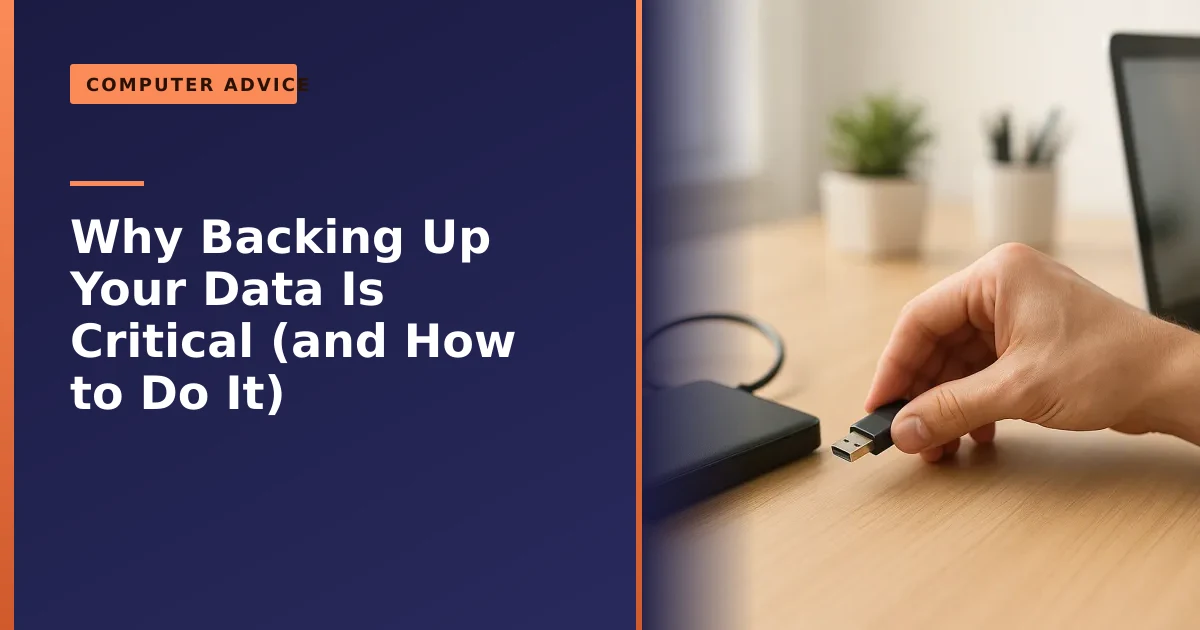
Backing up your data is the single most important thing you can do to protect what matters on your computer, and yet it is the thing people most often put off until it is too late. The hard truth is that every drive eventually fails, laptops get lost, stolen and dropped, ransomware can lock your files in seconds, and a moment's slip can delete a folder for good. A backup turns any of these from a catastrophe into a shrug. This guide explains why it matters so much, and exactly how to set up a backup that actually works.
We see the consequences of no backup every week in our Manchester workshop: heartbreaking calls about lost wedding photos, a small business in crisis over missing accounts. Sometimes we can recover the data, sometimes we cannot. This article is here so it never happens to you. Read it once, spend twenty minutes setting things up, and you can stop worrying about it for good.
Why you will lose data eventually

People tend to assume their files are safe until the day they are not. In reality, data loss is common, and it comes from several directions:
- Hardware failure. All drives wear out. Industry data from companies running hundreds of thousands of drives, like Backblaze's reliability research, shows a steady annual failure rate, which means some drives die every year, often without warning.
- Loss and theft. A laptop left on a train or taken in a burglary takes all its data with it, unless that data also lives somewhere else.
- Ransomware and malware. Malicious software can encrypt or destroy your files in moments, and it increasingly targets backups too, which is why an offline copy matters.
- Human error. Accidental deletion, overwriting a file, or formatting the wrong drive are some of the most common causes of all, and they happen to careful people.
- Accidents. A spilled drink, a drop, a power surge or a fire can end a machine, and everything on it, in an instant.
It helps to understand how drives age. A traditional hard drive (HDD) can fail mechanically, sometimes with no warning, while a solid state drive (SSD) has no moving parts but can only be written a finite number of times and often dies suddenly when its controller fails. Backblaze's figures put the annual failure rate of SSDs at roughly one percent or less through their first four years. Modern drives are very good, but a one percent chance each year, across millions of drives and many years, guarantees plenty fail, and eventually one is yours. The newest failures are the least mechanical of all: a fat-fingered delete can wipe a decade of photos off a perfectly healthy drive. A backup simply accepts that in advance and makes sure a copy survives whatever happens to the original.
What you stand to lose
It is worth pausing on what is actually at stake, because that is what makes the small effort of a backup worthwhile. For home users, it is usually the irreplaceable: years of family photos and videos, important documents, scanned paperwork, and accounts you would struggle to recreate. None of it can be bought back at any price once it is gone.
For a business, the stakes are higher still. Customer records, accounts, invoices and project work are the lifeblood of the operation, and losing them can be an existential threat. Studies repeatedly find that a large proportion of businesses that suffer serious, prolonged data loss never fully recover. Whether it is sentimental or financial, the value of your data is almost always far greater than the cost of backing it up. A useful exercise is to imagine your laptop has just been stolen: what would you most regret? For most people it is photos, then documents tied to money or identity. Those are what a backup must cover first, because everything else, like programmes and the operating system, can be reinstalled, while your memories and paperwork cannot.
The 3-2-1 rule: the gold standard
The backup strategy trusted by professionals and security bodies alike is simple to remember: the 3-2-1 rule. Keep at least 3 copies of your important data, on 2 different types of media, with 1 copy kept off-site or offline.
In practice for a home user, that means your working files on your laptop, a backup on an external drive, and a third copy in the cloud. No single event can then wipe out everything: if your laptop dies you have the drive, if the drive fails you have the cloud, and if your home is burgled or flooded the cloud copy is safely elsewhere. The off-site or offline copy is the crucial part, because as the NCSC stresses in its guidance on offline backups, ransomware can only encrypt what it can reach, so a copy that is disconnected or in the cloud survives an attack that destroys everything on your network. Our guide on cloud storage versus an external drive explains how the two work together.
Why two different types of media, rather than just two copies? Because identical devices tend to fail in identical ways. Two external drives from the same batch, plugged into the same surge-prone socket, can die for the same reason at the same time. Mixing media, say one local drive and one cloud service, means a weakness in one is unlikely to affect the other, and keeping a copy off-site means a fire, flood or thief that reaches your desk cannot reach every copy you own.
You will increasingly see the rule written as 3-2-1-1-0. The extra 1 is a copy that is offline or immutable, meaning it cannot be altered or deleted even by someone with your password, which matters because modern ransomware specifically hunts for backups. The 0 stands for zero errors, a reminder to verify your backups actually restore. We return to both ideas later, but for most homes the original 3-2-1 is already a huge step up from the single copy most people rely on.
Sync is not a backup: the mistake that catches everyone out
This is the single most common and most dangerous misunderstanding we come across, so it is worth being very clear. Services like OneDrive, iCloud Drive, Google Drive and Dropbox are brilliant, but by default they are sync services, not backup services, and the difference can cost you everything.
Syncing means every device sees the same live copy of your files. That is wonderful for working across your laptop and phone, but it has a sting in the tail. Delete a file on one device and it vanishes everywhere, almost instantly. If ransomware encrypts your files on your laptop, the ruined versions sync up to the cloud and overwrite the good copies, often within minutes and before you have realised anything is wrong. A backup, by contrast, is a separate copy the live system cannot silently reach in and change.
The cloud providers have responded. Microsoft's OneDrive includes ransomware detection and a Files Restore feature that can roll your whole OneDrive back to a point before an attack, and in 2026 Google made ransomware detection and bulk file restoration generally available for Google Drive. These help, but they are recovery tools with conditions and time limits, not a substitute for a proper independent backup. The safe rule is simple: at least one of your copies should be somewhere a bad deletion, ransomware, an account lockout or a billing mistake cannot automatically reach it.
Cloud, external drive or NAS: which is right for you
There is no single best option, because each has a place in a 3-2-1 plan. Most people are best served by combining a cloud service with a local external drive, which gives you the speed of local and the off-site safety of cloud. Here is how the three main choices compare.
| Option | Best for | Strengths | Watch out for |
|---|---|---|---|
| Cloud backup (OneDrive, iCloud, Google, Backblaze) | The off-site copy, set and forget | Automatic, off-site by design, accessible anywhere, survives fire or theft at home | Ongoing subscription, needs decent broadband, sync is not the same as backup |
| External SSD or hard drive | Fast local copy and full system images | One-off cost, very fast restores, works with no internet, you keep physical control | Can be lost, stolen or fail like any drive; must be unplugged when not in use |
| NAS (network attached storage) | Larger homes and small businesses with several devices | Backs up many devices over your network, large capacity, can keep file versions | More to set up and maintain, on its own it is still on-site and reachable by ransomware |
A NAS is a small always-on box of drives on your network. It is excellent when several devices need backing up to one place, but on its own it is still in the building and connected to your network, so it does not satisfy the off-site part of 3-2-1 and can be reached by ransomware. The strongest setups pair a NAS or external drive with a cloud copy. For the local copy, an external SSD is faster and more rugged than an old hard drive, as our guide to why you should upgrade to an SSD explains, though a large external HDD is fine for big photo and video collections.
How to back up a Windows PC
Windows makes this straightforward, and the best approach combines two layers. The first is the cloud: OneDrive is built into Windows and can automatically back up your Desktop, Documents and Pictures folders to the cloud, syncing changes as you work. Turning this on is the single easiest thing most people can do, because it then runs by itself. A free Microsoft account comes with around 5 GB of OneDrive space, which is enough for documents but usually not for a large photo library, so you may want a paid plan for everything.
The second layer is a local backup to an external drive. Windows includes File History, which automatically copies your personal files to an external drive on a schedule, and you can also create a full system image. Microsoft's guide to backing up your PC walks through the options. Combine File History on an external drive with OneDrive and you have a genuine 3-2-1 setup with very little ongoing effort.
A quick checklist for Windows:
- In Settings, search for OneDrive backup and turn it on for your Desktop, Documents and Pictures folders.
- Plug in an external drive, open Control Panel and turn on File History, pointing it at that drive.
- For a complete safety net, also create a full system image so you can rebuild the whole machine, not just your files.
- Reconnect the drive every week or two so File History can catch up, then disconnect it and store it somewhere safe.
How to back up a Mac
Macs have an excellent built-in tool called Time Machine. Plug in an external drive, and Time Machine automatically keeps hourly, daily and weekly backups of your whole Mac, letting you restore individual files or your entire system from any point in time. Apple's guide to Time Machine shows how to set it up in a couple of clicks.
For the off-site copy, iCloud keeps your key folders and photos in the cloud. A free iCloud account includes only 5 GB, so most people who keep photos on their Mac will want a paid iCloud+ plan. As with Windows, the winning combination is Time Machine to a local drive plus a cloud copy, giving you the speed of local and the off-site safety of cloud. Dedicate a drive to Time Machine rather than mixing backups with other files, and unplug it between backups if ransomware is a concern. We look after plenty of Macs and can set this up as part of a Mac service if you would rather it was done for you.
Do not forget your phone
For most people the device with the most precious and recent data is not the computer at all, it is the phone in their pocket. It holds today's photos, your messages, contacts and app data, and it is the device most likely to be dropped, left in a taxi or stolen. Backing it up is just as important, and just as easy.
- iPhone and iPad. Go to Settings, tap your name, then iCloud, then iCloud Backup, and turn it on. Your phone then backs up automatically overnight whenever it is charging and on Wi-Fi. Apple's guide to backing up your iPhone walks through it. The free 5 GB rarely covers a full phone, so most people need an iCloud+ plan or should also save photos elsewhere.
- Android. Open Settings, search for Backup, and make sure backup by Google One is on, plus turn on backup in the Google Photos app. Google's guide to backing up an Android device covers the steps. A Google account includes 15 GB free across Gmail, Drive and Photos, shared between them.
The same sync-is-not-a-backup caution applies here: photos that only exist in one cloud account, protected by one password, are vulnerable to that account being lost or compromised. For photos you truly cannot lose, occasionally copy them onto a computer or external drive as well, so they exist somewhere completely separate.
What exactly should you back up
People often freeze at this point, unsure what to include. The NCSC's advice in its guidance on backing up your most important data is refreshingly simple: back up anything you would be upset or inconvenienced to lose. You do not need to back up Windows itself or programmes you can reinstall; you need to back up the things that are yours and irreplaceable. A practical priority list looks like this:
- Photos and videos, including those on your phone. For most people this is the single most precious category.
- Important documents: tax records, payslips, contracts, insurance, scanned letters, a will, qualifications and CVs.
- Financial and business files: accounts, invoices, spreadsheets and anything tied to your livelihood.
- Personal projects: writing, music, designs, a dissertation, anything you have created.
- Email, contacts, browser bookmarks and password manager data, which are easy to overlook and painful to rebuild.
A backup is only as useful as your ability to find what you need afterwards, so keep these in clear, predictable folders. If your files are scattered across the desktop and downloads, tidy them into Documents and Pictures first, then back those folders up.
How often should you back up your data
The honest answer is more often than you think, and ideally automatically so you never have to remember. The way professionals decide is to ask one plain question: if everything failed right now, how much work could you bear to lose? If losing a whole day would be painful, you need at least daily backups. If you would hate to lose even an hour, you want continuous or hourly backups.
This is exactly why automatic tools win. OneDrive, iCloud and Google Drive sync changes continuously, Apple's Time Machine takes hourly snapshots, and Windows File History can run every few hours. Set one up and your effective answer becomes minutes, not days, with no willpower required. Manual backups are far better than nothing, but in practice people forget, get busy, and end up with a copy months out of date. A good home pattern is continuous cloud sync for everyday files plus an automatic local backup to an external drive. The whole art of a good backup is removing yourself from the equation, so it keeps happening even when life gets in the way.
Ransomware: why an offline or immutable copy is non-negotiable
Ransomware deserves its own section, because it has changed how backups need to work. Older advice assumed your enemy was a dead drive or a clumsy delete. Today, criminals deliberately seek out and destroy backups before triggering the encryption, knowing a victim with a working backup will simply restore and refuse to pay. Modern strains scan the network for connected drives and reachable cloud accounts and go after them first.
This is why the NCSC's offline backups guidance is so insistent on at least one copy that is genuinely out of reach. For a home or small business, that means two habits. First, do not leave your backup drive permanently plugged in; connect it, let the backup run, then disconnect it, so ransomware cannot encrypt it too. Second, use immutability where you can: some cloud and backup services offer immutable or versioned storage, where copies cannot be altered or deleted for a set period even by someone holding your password.
File versioning helps too, within limits. Most cloud services and tools like Time Machine keep older versions, so you can roll back to a copy from before an attack, but restoring thousands of files one version at a time is slow, so it is a second line of defence, not a replacement for a disconnected copy. If you suspect an infection, disconnect from the internet and seek help before doing anything else; our virus and ransomware removal service can assess the damage and recover what is recoverable.
The step everyone forgets: test your backup
Here is the part that catches people out, even those who have a backup: never assume it is working until you have proved it. A backup you have never tested is only a hope. Drives fill up, settings get changed, sync quietly stops, and you may not find out until the day you desperately need to restore and discover the backup is empty or out of date.
So every few months, actually open a file from your backup and check it works. On a cloud service, log in from another device and confirm your recent files are there. On an external drive, restore a document to a different folder and open it, because a file that is listed but corrupt is no use at all. It takes five minutes and it is the only way to know your safety net is real. This habit, sometimes added to the rule as the "zero" in 3-2-1-0 (zero backup errors), is what separates a backup that saves you from one that lets you down. A recurring calendar reminder, perhaps every World Backup Day at the end of March, makes sure the check actually happens.
Common backup mistakes we see in the workshop
A handful of avoidable mistakes come up again and again. If you recognise yourself in any of these, a few minutes now could save you a very bad day later.
- Believing sync is a backup. If a deletion or ransomware on your laptop instantly reaches your only other copy, you do not have a backup.
- Thinking RAID or a NAS alone is enough. RAID protects against one disk failing inside the box, but not against deletion, theft, fire or ransomware. It is resilience, not a backup.
- Leaving the backup drive permanently connected, or storing it next to the computer. A power surge, burglary, flood or ransomware then tends to take your backup at the same moment as your computer.
- Only ever having one copy, and never testing it. A single drive is one drop away from total loss, and a backup nobody has checked for two years is a coin toss when you finally need it.
Backing up for a small business in Manchester
If you run a business, backups stop being a nicety and become a legal and commercial necessity. Lose your accounts before a tax deadline, or your customer records under data protection rules, and the consequences go well beyond inconvenience. The NCSC puts backups as the very first step in cyber security for good reason, and the same 3-2-1 principles scale up neatly. For a small team that usually means a business cloud platform such as Microsoft 365 or Google Workspace, a separate dedicated backup of that cloud data (because the platform's own sync is not a backup), and an offline or immutable copy ransomware cannot reach. Make sure someone owns the job of checking the backups, because in busy firms that is exactly the task that slips. We help local businesses get this right through our business computer support, and can set up and quietly monitor it through our Manchester backup service.
When it is already too late: data recovery
If you are reading this after a drive has failed, a laptop has died, or files have vanished, do not despair, and do not keep using the device, as that can make things worse. When a drive fails or files are deleted, recovery is often possible, especially if you stop and seek help quickly rather than continuing to write to the disk.
Why does this matter so much? When you delete a file, the data is usually not erased straight away; the space is just marked as available, and the file survives until something is written over it. Every minute you keep using the machine risks overwriting the very data you are trying to save, and a failing drive making unusual noises can suffer more damage with every hour it spins. The safest thing is to power the device down and bring it in.
Our data recovery service can frequently retrieve files from failed hard drives and SSDs, accidentally formatted drives, and water-damaged machines. But we will always be honest: recovery is never guaranteed and can be costly, which is precisely why a backup is so much better than relying on it. If your drive has failed, bring it to us before doing anything else; if it has not, set up a backup today so you never need us for this.
How Manchester PC can help
If backing up sounds sensible but you are not sure where to start, or you would simply rather it was set up properly and left to run, we can do the lot. We will choose the right external drive, set up automatic cloud and local backups, make sure you have that crucial off-site copy, and confirm it all actually works, so your photos, documents and business data are safe whatever happens.
And if the worst has already happened, our data recovery service can often get your files back. We cover Manchester and the surrounding areas with free local collection and return and honest, jargon-free advice. Whether it is a backup setup, computer repair or data recovery, get a free, no-obligation quote or call us on 0161 820 1992, and protect what matters before it is too late.