Key takeaways
- The best workflow apps keep your files, notes, tasks and passwords identical on every device, so you can switch from laptop to phone without missing a beat.
- Start with the essentials: a cloud storage service (OneDrive, Google Drive or Dropbox), a notes app, a to-do app and a password manager, all of which sync automatically.
- Pick tools that fit the ecosystem you already use; if you live in Microsoft 365 or Google Workspace, their built-in apps sync seamlessly and save money.
- For teams, Microsoft Teams or Slack keep everyone in sync whether they are in the office or working from home.
- Most of these apps have genuinely capable free tiers, so you can build a fully synced setup without spending a penny.
- Almost every "my files will not sync" problem comes down to one of four things: the wrong account, sync switched off, full storage or a flaky connection.
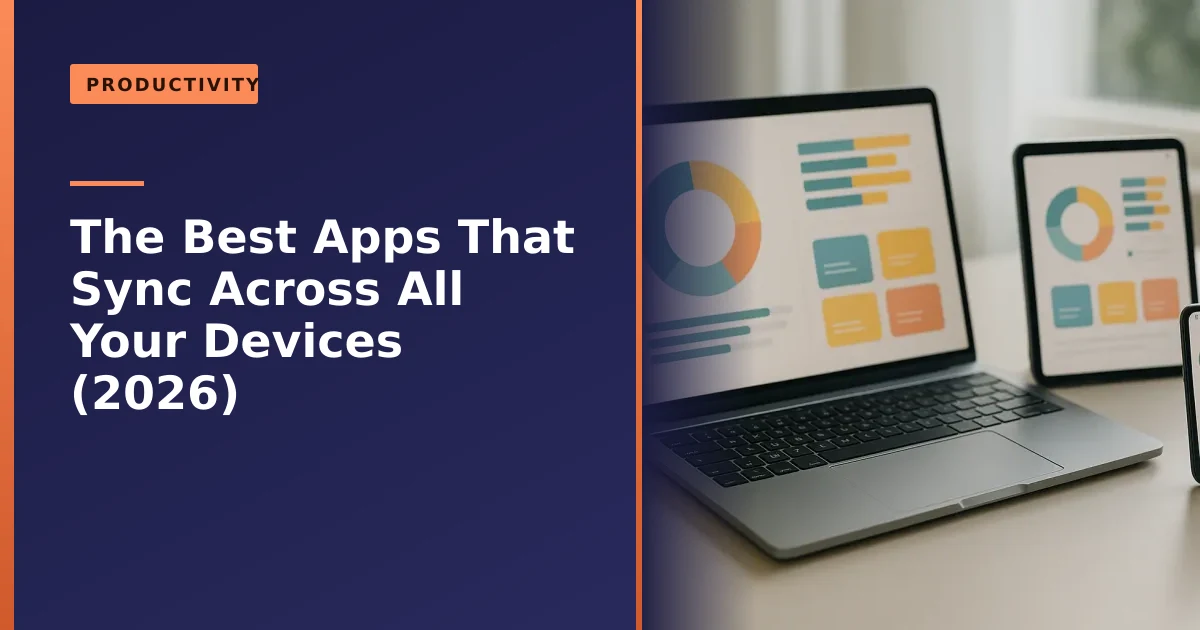
Which apps sync across all your devices? The most useful ones fall into four everyday categories, cloud storage, notes, tasks and passwords, and the best in each keep everything identical on your laptop, phone and tablet automatically. Add a team chat tool if you work with others, and you have a setup where you can start something on one device and pick it up instantly on another. This guide runs through the best options in 2026 and, just as importantly, how to choose the ones that fit how you already work.
We set up and troubleshoot these tools for home workers and small businesses across Manchester, so here is practical, honest advice rather than a list of everything under the sun. By the end you will know which apps to use, how syncing actually works behind the scenes, how to keep your data private, and exactly what to check the day something stops syncing. None of it requires you to be technical.
What "syncing across devices" really means
A synced app stores your data in the cloud and keeps an up-to-date copy on every device you use. Edit a document on your work laptop and it is already updated on your phone by the time you are on the bus; tick off a task on your tablet and it disappears from the list on your desktop too. There is nothing to email to yourself, no "which version is the latest?" confusion, and if a device is lost or broken, your data is safe in the cloud.
That last point matters more than people realise. A synced app is, in effect, a continuous off-site backup. When a laptop is dropped, stolen or simply refuses to turn on, the work itself is not gone, because the cloud copy is untouched. The customer who synced their documents walks away with a new machine and all their files; the customer who kept everything on the desktop is hoping our data recovery team can rescue a failing drive. Syncing is not a replacement for a proper backup, but it is a strong first layer.
The trick is choosing a small, well-chosen set of apps that cover the essentials and work well together, rather than a sprawl of overlapping tools. Below we have grouped the best by the job they do.
How does syncing actually work?
Understanding the basics helps you trust the tools and fix them when they misbehave. There are two broad approaches, and most apps you use will be one or the other.
File sync is what cloud storage like OneDrive, Google Drive and Dropbox does. Each device runs a small background app that watches a folder. When a file changes, the app uploads the new version to the provider's servers, then quietly pushes that version down to your other devices. Dropbox, for example, tries to keep a perfect copy of every file on every device, only sending the parts that have changed so it stays quick even on a slow connection.
Real-time sync is what notes and task apps such as Notion, Google Keep, Todoist and Microsoft To Do use. Instead of treating your work as files, they store it as records in a database in the cloud. When you type, small changes stream up to the server and back down to your other devices within seconds, which is why two people can edit the same Notion page at once and watch each other's cursors move.
In both cases the golden rule is the same: the cloud holds the master copy, and every device is asked to match it. That is why being signed in to the right account on every device is the single most important setting, and why a device that has been offline for a while needs a moment to catch up when it reconnects.
What happens when two devices change the same thing
If you edit the same document on your laptop and your phone while one of them is offline, the app cannot know which version you meant. Good apps handle this gracefully. Dropbox and OneDrive create a conflicted copy, saving both versions side by side and labelling the duplicate with the date and device, so nothing is lost and you can decide. Real-time apps like Notion and Google Keep usually merge changes automatically because they sync constantly. The lesson is simple: let a device finish syncing before you start editing the same thing somewhere else, and you will almost never see a conflict.
Cloud storage: the foundation
Cloud storage is the foundation of a synced setup, keeping your files available and identical everywhere. The three big names are all excellent, and the best choice usually comes down to which ecosystem you already use:
- Microsoft OneDrive is the natural pick if you use Windows or Microsoft 365, as it is built into Windows and works seamlessly with Word, Excel and the rest of Office. Your Documents, Pictures and Desktop folders can sync automatically, so a fresh Windows machine signs in and pulls everything back down.
- Google Drive is ideal if you live in Gmail and Google Workspace, with generous free storage and superb collaboration in Google Docs and Sheets, where several people can edit the same file at once with no fuss.
- Dropbox is the platform-neutral specialist, with rock-solid syncing that works equally well across Windows, Mac, Android and iOS, making it a great choice if you mix ecosystems.
- Apple iCloud is the obvious choice if your devices are mostly Apple, syncing your files, photos, notes and passwords across iPhone, iPad and Mac with almost nothing to set up. It is less convenient if you also use a Windows PC, though an iCloud app for Windows does exist.
Whichever you choose, cloud storage also doubles as an off-site backup, which is exactly why we recommend it in our guide on why backing up your data is critical. If you are weighing cloud against a physical drive, our comparison of cloud versus external storage goes deeper, and our computer backup service can set it all up for you.
Cloud storage compared: free storage and best fit
The free allowances are a good place to start, because for many people they are enough on their own. Here is how the main services line up in 2026. The free amounts below are the standard allowances each provider advertises.
| Service | Free storage | Best for | Works well on |
|---|---|---|---|
| Google Drive | 15 GB (shared with Gmail and Photos) | Gmail and Google Workspace users | Everything, strong on the web |
| Microsoft OneDrive | 5 GB | Windows and Microsoft 365 users | Windows, Mac, mobile |
| Apple iCloud | 5 GB | iPhone, iPad and Mac owners | Apple devices, plus Windows app |
| Dropbox | 2 GB | People who mix Windows, Mac and mobile | Everything, very reliable sync |
A couple of things are worth knowing before you decide on numbers alone. Google's 15 GB is the most generous, but it is shared across Gmail, Drive and Google Photos, so heavy email users can fill it faster than they expect. Dropbox's free 2 GB is small, but its sync is widely regarded as the most dependable. OneDrive and iCloud both start at 5 GB, but each is far more useful if you already live in that ecosystem, because the syncing of photos, settings and documents is built into the operating system.
If you outgrow the free tier, all four offer paid plans bundled with other benefits. OneDrive storage comes with Microsoft 365 and its Office apps; Google's plans add space alongside Gmail and Photos; iCloud+ adds private email relay and other privacy features. Compare the bundle, not just the gigabytes, because you are often paying for software you would buy anyway.
Notes: capture ideas anywhere

A good notes app means you can jot something on your phone and find it waiting on your computer. The best options in 2026:
- Microsoft OneNote and Google Keep are free, reliable and already part of the Microsoft and Google ecosystems, perfect for everyday notes and lists. Keep is deliberately simple, ideal for quick capture, while OneNote gives you a proper notebook structure with sections and pages.
- Apple Notes is free with an Apple ID and quietly excellent if you use Apple devices, with quick capture from the lock screen, document scanning and tidy iCloud sync across iPhone, iPad and Mac.
- Notion is the powerhouse, combining notes, databases, wikis and light project management in one flexible workspace, ideal if you want everything in a single place. Its free plan gives an individual unlimited pages, which is plenty for most people.
- Obsidian suits those who want a fast, private, local-first notes app and are happy to add its paid sync, popular with people who take notes seriously. Because it stores your notes as plain text files in a folder you own, you are never locked in, and its optional Sync is end-to-end encrypted.
For most people, the free notes app that comes with their email account is plenty; reach for Notion only if you genuinely need its extra structure. One word of caution worth knowing: Apple Notes and OneNote tend to resolve sync clashes quietly behind the scenes, so if you edit the same note on two devices at once you can occasionally lose a change without being asked. In practice this is rare, but it is another reason to let a device catch up before you start typing on another.
Tasks and to-do lists: stay on top of everything
A synced to-do app keeps your tasks in your pocket and on your desk at once. The leaders:
- Todoist is a long-standing favourite, simple, fast and available on every platform, with a clean free tier and natural-language task entry, so typing "email accountant every Friday" sets up a repeating reminder automatically.
- Microsoft To Do and Google Tasks are free and tie neatly into Outlook and Gmail respectively, so your tasks sit alongside your email and calendar. Both let you turn an email into a task in a couple of clicks.
- Things is a beautifully designed, Apple-only option bought once rather than rented by subscription, popular with people who want a calm, focused list and stay entirely within the Apple world.
- Trello uses visual boards and is great for projects you like to see laid out, and for small teams sharing a workflow.
As with notes, start with the free option built into your email ecosystem and only move to something more powerful if you outgrow it. The honest truth is that the best task app is the one you will actually open every day, so favour something simple over something clever. If you use Gmail and Google Calendar, Google Tasks needs no setup at all; if you live in Outlook, Microsoft To Do is just as frictionless; and if you want the most features across every platform, Todoist is the safe all-rounder.
Password managers: sync your logins securely
This is the one category everyone should use, and it is easy to overlook. A password manager stores all your logins in an encrypted vault that syncs across every device, so you have strong, unique passwords everywhere without having to remember them. Bitwarden is our usual recommendation, with one of the most generous free plans available, open-source security and apps for every platform. Its free tier covers unlimited passwords on unlimited devices, which is all most people will ever need. 1Password is an excellent paid alternative with a polished interface, slick autofill and breach monitoring, though it has no permanent free plan.
It is worth knowing that both providers adjusted their prices in early 2026. Bitwarden raised the cost of its optional Premium tier for the first time in roughly a decade, and 1Password also increased its subscription. For most home users none of this changes the recommendation, because Bitwarden's free plan remains free and does everything an individual genuinely needs; the paid extras are conveniences rather than necessities.
Why a password manager matters more than any other app here
If you only adopt one tool from this guide, make it this one. Reusing the same password across sites is the single most common way people get hacked, because once one site is breached, criminals try that same email and password everywhere else. A password manager breaks that chain by generating a different long password for every account and filling it in for you, so you only have to remember one strong master password. Pair it with two-factor authentication on email and banking, and you have closed off the great majority of real-world attacks.
Using a password manager is one of the single best things you can do for your online security, as we explain in our guide on working more securely from home. Combined with the habits in our guide on spotting email scams and knowing how to spot fake online stores, it dramatically reduces your risk of being caught out.
Security and privacy: keeping your synced data safe
Putting your files, notes and passwords in the cloud is safe when you take a few sensible steps, and worth understanding so you can choose with confidence. Here is what actually keeps your data protected.
- Turn on two-factor authentication (2FA) everywhere you can. This means that even if someone learns your password, they still cannot get in without a code from your phone. Switch it on for your main email first, because whoever controls your email can reset the passwords to everything else.
- Understand encryption. Reputable services encrypt your data both while it travels and while it sits on their servers. Some go further with end-to-end or zero-knowledge encryption, meaning the provider itself cannot read your content. Password managers like Bitwarden and 1Password work this way by design, Obsidian's Sync is end-to-end encrypted, and Apple offers an optional Advanced Data Protection setting that extends end-to-end encryption to more of your iCloud data.
- Use one strong, unique master password for your password manager and never reuse it anywhere else. Write it down and keep it somewhere physically safe if you must, because losing it can mean losing access to the vault entirely.
- Be careful on shared or public computers. Always sign out when you finish, and never tick "stay signed in" on a machine that is not yours.
For sensitive business information there are also data protection responsibilities to keep in mind, and the UK's National Cyber Security Centre publishes clear, plain-English guidance on cloud security and backups that is well worth a read. If your business handles customer data, it is worth getting your setup reviewed properly, which is part of what our IT support in Manchester covers.
For teams: keep everyone in sync
If you work with others, a team collaboration tool keeps everyone on the same page whether they are in the office or remote. Microsoft Teams is the obvious choice for Microsoft 365 businesses, bundling chat, video calls and file sharing with deep Office integration, and we cover meeting tools in our guide on the best software for remote meetings. Slack is the popular alternative, with excellent chat channels and a huge range of integrations with other apps.
The free plans differ in ways that matter for a small team. Slack's free plan keeps only the most recent 90 days of message history and limits video calls between just two people, whereas Microsoft Teams' free plan keeps your full message history and allows group video meetings for up to 100 people, with a time limit per meeting. If you are choosing between the two on a tight budget, that difference alone often settles it. Slack still wins many people over with its tidy channels and the sheer number of other apps it connects to, so the right answer comes back to which one your team will actually enjoy using.
For a small team, these tools, combined with shared cloud storage, mean files, messages and documents stay in sync for everyone, automatically, which is the backbone of smooth remote and hybrid working. If you would like a hand getting a team set up properly, our business computer support service does exactly that.
How to choose: fit your ecosystem
With so much choice, the simplest rule is this: pick tools that fit the ecosystem you already use. If your world is Microsoft 365, lean on OneDrive, OneNote, To Do and Teams, as they are built to work together and you may already be paying for them. If you live in Google, use Drive, Keep, Tasks and Google's collaboration tools. If your devices are mostly Apple, iCloud, Apple Notes, Reminders and Things slot together beautifully. If you mix platforms, neutral specialists like Dropbox, Notion, Todoist and Bitwarden shine.
Here is a quick way to see the natural groupings:
| Job | Microsoft world | Google world | Apple world | Mixed / neutral |
|---|---|---|---|---|
| Files | OneDrive | Google Drive | iCloud | Dropbox |
| Notes | OneNote | Google Keep | Apple Notes | Notion or Obsidian |
| Tasks | Microsoft To Do | Google Tasks | Reminders or Things | Todoist |
| Passwords | Bitwarden | Bitwarden | iCloud Keychain or Bitwarden | Bitwarden or 1Password |
| Team chat | Microsoft Teams | Google Chat | Slack or Teams | Slack |
Two final tips. First, do not over-tool, as a few well-chosen apps you actually use beat a dozen you do not. Second, make sure you are signed into the same account on every device, as that is what makes syncing work, and a surprising number of "sync problems" we are asked about turn out to be someone signed into the wrong account on their phone.
Setting up a synced workflow, step by step
If you are starting from scratch, here is the order we would set things up for a home worker or small business, doing the most important parts first. None of it takes long.
- Pick your ecosystem and one account. Decide whether you are mainly Microsoft, Google or Apple, and choose the single email account you will use to sign in everywhere. This one decision makes everything else easier.
- Set up cloud storage and let it sync. Install the storage app on your computer, sign in, and move your working documents into its folder. On Windows, switch on Known Folder Move so your Desktop, Documents and Pictures back up automatically.
- Install the same app on your phone and tablet. Sign in with the same account, and confirm the files appear. This is your proof that syncing works.
- Add a password manager and import your logins. Set a strong master password, turn on 2FA, and install the browser extension and phone app so it fills passwords in everywhere.
- Add notes and tasks last. Choose one notes app and one task app, sign in on every device, and resist the urge to install three of each.
- Do a real-world test. Create a file or note on your phone and watch it appear on your laptop, then edit it on the laptop and watch the phone update. Once you have seen it work, you will trust it.
If you have just bought a new machine, this is also the moment to make sure it is running well from the start. Our guides on disk cleanup and why a laptop runs slow pair nicely with a fresh, synced setup.
Common sync problems and how to fix them
When something will not sync it almost always comes down to a short list of causes. Work through these in order and you will solve the great majority of issues yourself.
- Wrong account. By far the most common cause. Check that every device is signed in to the same account. It is easy to set up a phone with a personal account and a laptop with a work one and never notice.
- Sync switched off or paused. Open the app and check it is actually running and not paused. Cloud storage apps often pause themselves on a metered connection to save data.
- Full storage. If your cloud space is full, new files simply stop uploading. Aim to keep at least 10 to 15 percent of your allowance free for smooth syncing, and clear out or upgrade if you are near the limit.
- Poor or intermittent internet. A weak connection causes partial syncs and stalls. Reconnect to a stronger network and give the app a few minutes to catch up.
- App needs updating. An out-of-date app can stop syncing after a provider makes changes. Update it from the app store and restart.
- The app is stuck. Fully quit the app and reopen it. If it is still stuck, sign out and back in, which forces it to compare your device against the cloud from scratch.
- A conflicted copy appeared. If you see a file labelled "conflicted copy", do not panic. Both versions have been kept. Open each, decide which is correct or merge them, then delete the one you do not need.
If you have worked through all of that and something is still wrong, the official help pages are genuinely useful: Microsoft's OneDrive support pages and Apple's iCloud support pages both have step-by-step fixes for sync trouble. And if you would rather someone just sorted it, that is what we are here for.
Common mistakes people make with sync
A few habits cause most of the headaches we see, and all of them are easy to avoid once you know.
- Treating sync as a backup and nothing else. Sync keeps your devices matching, but if you delete a file by mistake, that deletion syncs too. Most services keep deleted files and old versions for a while, so learn where your provider's recycle bin and version history live before you need them.
- Saving outside the synced folder. A file is only protected once it lives inside the folder the app is watching. Files left on a random part of your desktop or an unsynced drive are not in the cloud at all.
- Running two cloud apps over the same folder. Pointing both, say, OneDrive and Dropbox at the same files can create endless conflicted copies. Give each service its own folder.
- Forgetting the phone. People set things up beautifully on the laptop and never install the app on their phone, then wonder why nothing is there when they are out. Sync only works on the devices where the app is installed and signed in.
- Ignoring storage warnings. Those "your storage is nearly full" emails are not spam. When the space runs out, syncing quietly stops and you may not notice for days.
When it is worth getting help
Most of this you can do yourself, and we would always rather you felt confident doing so. A few moments are worth a hand from a local pro: setting up a new business where several staff need shared files and chat; migrating years of files and email to a new machine without losing anything, which pairs naturally with deciding whether to upgrade to Windows 11; or checking a failed device when you are not sure your data was syncing. The rule of thumb is to call someone when the cost of getting it wrong, lost files, a hacked account, days of downtime, is higher than the cost of an hour of expert help.
How Manchester PC can help
If you want help setting up a properly synced, secure workflow, getting OneDrive or Google Drive working across your devices, sorting out sync problems, or making sure your data is backed up, we can help. For home workers and small businesses, we will set things up sensibly, keep your data safe, and explain it all in plain English, and we offer ongoing business IT support too.
We cover Manchester and the surrounding areas with free local collection and return and honest, jargon-free advice. For help getting set up or any computer repair, get a free, no-obligation quote or call us on 0161 820 1992.