Key takeaways
- More Manchester businesses are now repairing and maintaining laptops rather than replacing them every few years, saving money and cutting waste.
- Most business laptop faults, drops, spills, broken ports and screens, fall outside standard warranties, which rarely cover accidental damage.
- We make repairs easy and trustworthy: upfront quotes, free collection and return, in-house job tracking, and DBS-vetted technicians.
- When buying new devices, repairability matters hugely, look for upgradeable RAM and SSD, replaceable keyboards and screens, and a separate charging board.
- The purchase price is only part of a device's true cost, downtime, lost productivity, repairs and disposal all add up, so a repair-first strategy usually wins on total cost of ownership.
- A long-term repair partner learns your fleet's common faults and keeps your IT running for less.
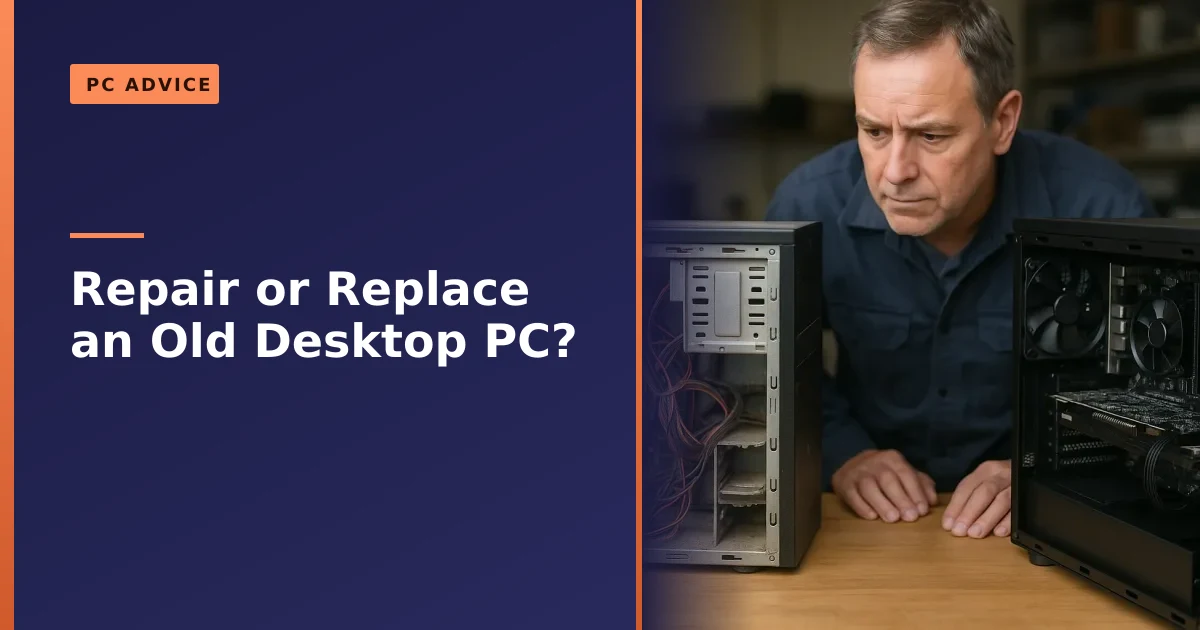
How can a Manchester business keep its computers and laptops running without expensive, constant replacements? The answer, increasingly, is a trusted repair and maintenance partner. Over the last few years, especially since COVID, we have seen a clear shift: rather than replacing devices every two or three years, more businesses across Manchester want to extend the life of their equipment. Here is how we help them do exactly that, reliably, transparently and cost-effectively, and how you can make smarter buying, maintenance and security decisions along the way.
Why warranties leave businesses exposed
Many companies buy extended warranties, sometimes up to three years, and assume they are covered. The catch is that warranties almost never cover accidental damage, and in our experience most business laptop faults come down to everyday user mishaps: laptops get dropped, screens smashed, charging cables yanked, ports damaged, or liquid spilled. On top of that, software issues like a corrupt Windows update can leave a device unbootable. These are precisely the problems that fall outside standard warranties, leaving businesses with limited options, which is where a good repair service comes in.
It pays to read the small print before you assume a fault is covered. A standard manufacturer warranty typically covers manufacturing defects only, a battery that fails to hold charge from new, a faulty mainboard, a dead pixel cluster within tolerance. The moment a fault is judged to be caused by impact, liquid, wear or unauthorised tinkering, cover usually ends. Some manufacturers sell a separate accidental damage protection plan, and for a busy mobile workforce that can be worth it, but it often carries an excess per claim, a limit on the number of claims per year, and turnaround times measured in weeks. For a single machine that downtime is annoying. For a team that relies on that laptop to invoice clients or take orders, weeks offline is a real cost. A local repair partner who can collect, diagnose and return a device in days, often with a loan option, frequently works out cheaper and far less disruptive than waiting on a warranty claim.
Why some businesses avoid repairs, and why they shouldn't
Talking to businesses across Manchester, we have found many have historically steered clear of repairs, worried about reliability, security, and whether it is really cost-effective. That is understandable given the press stories about dodgy repair shops overcharging, misdiagnosing faults, or snooping through sensitive data. Changing that perception is exactly our aim: to offer a transparent, reliable and professional repair service businesses can genuinely trust, so they are not pushed into unnecessary replacements.
The fear of a botched repair is real, but it usually comes from comparing a professional workshop with a back-bedroom operation. A proper repair business diagnoses before it quotes, uses anti-static handling, sources the right parts, tests thoroughly after the work and stands behind the job with a warranty on the repair itself. The honest truth is that a great many faults that get a device written off are perfectly economical to fix: a swollen battery, a worn charging board, a cracked screen, a failed fan, a tired drive. Writing those off and buying new is the expensive option, not the safe one.
What makes our business service different
We have built our service around making repairs easy and trustworthy for businesses:
- Simple quote system: every device gets a clear, upfront quote, so there are no surprises.
- Collection and return: we pick up and drop off your devices, so nobody wastes time travelling to a repair shop.
- Bespoke job-tracking software: developed in-house so every job is logged, tracked and completed efficiently.
- DBS-vetted technicians: your data and devices are handled with the utmost security and professionalism.
Handing over a company device takes trust, which is why we work hard to be as transparent and ethical as possible. It is the same approach behind our wider business computer support and IT support services.
Repair or replace? Doing the maths on total cost of ownership
The single biggest mistake we see businesses make is judging a device only by its purchase price. The real figure that matters is total cost of ownership, which is the full cost of running a laptop across its whole life: the price you pay up front, plus repairs, plus the value of the time people lose when a machine is slow or down, plus the cost of disposing of it responsibly at the end. Seen that way, the sticker price is often the smallest part of the picture.
A machine that is two or three years old is rarely worn out. More often it is simply held back by a mechanical hard drive, too little memory, or a tired battery, all of which are cheap, quick fixes. Spending a modest amount to drop in an SSD and add memory can make a four year old laptop feel new and buy you another two or three years of useful service, for a fraction of the cost of replacing it. If your team complains that machines are sluggish, our guide on why a laptop runs slow is a good place to start before you reach for the credit card.
That said, repair is not always the right answer, and we will tell you when it is not. As a rough rule of thumb, weigh up the cost of the repair against the device's remaining useful life and what a sensible replacement would cost. The table below is the kind of thinking we walk business customers through.
| Situation | Usually repair | Consider replacing |
|---|---|---|
| Age of device | Under 5 years and well specified | 6 years or more, or already underpowered |
| Fault type | Screen, battery, keyboard, port, drive, fan, software | Soldered mainboard failure on a low-value model |
| Repair cost | Well below the price of an equivalent new device | Approaching or exceeding replacement cost |
| Performance | Fine once the fault and an SSD or RAM upgrade are sorted | Too slow for modern software even after upgrades |
| Software support | Still receiving security updates | No longer supported, for example stuck on an unsupported Windows version |
For a fuller look at how to make that call, see our dedicated guide on whether to repair or replace a computer. The point is to make the decision with the whole cost in front of you, not just the price on a new box.
How to choose a repairable business laptop in 2026
One issue we still see is businesses buying laptops without considering how repairable they are, only to find later that parts are hard to source or repairs simply are not viable. Microsoft Surface devices are a prime example, notoriously difficult to repair; we have had companies bring us fleets of them only to discover most repairs are not practical due to how they are built. Lenovo, by contrast, is one of the best brands for repairability, with easy access to original parts even for older models. When buying new devices, it pays to ask:
- Are replacement parts easily available?
- Does it allow RAM and SSD upgrades, or are they soldered to the motherboard?
- Can the keyboard be replaced on its own, or does the whole chassis need swapping?
- Does it use a separate charging board, or a fragile USB-C port soldered to the motherboard?
- Is there a published service manual and a repairability rating you can look up?
The good news is that 2026 is a genuinely better year to buy repairable. The independent repair specialists at iFixit awarded Lenovo's latest ThinkPad T14 and T16 a perfect 10 out of 10 for repairability, the first T-series models to score top marks, thanks to modular LPCAMM2 memory you can actually upgrade, standard M.2 SSD storage, a near tool-free battery and easy keyboard swaps. It is a useful reminder that not all premium laptops are sealed boxes, and that asking the right questions before you buy can save you a fortune later.
Regulation is nudging things in the same direction. The UK's own right to repair rules, introduced in 2021, are narrow and do not yet cover laptops and phones, but the EU Right to Repair Directive, which member states must implement by 31 July 2026, pushes manufacturers to make spare parts and repair information available for years after purchase and bans design tricks that block independent repair. Because manufacturers build for a global market, those requirements tend to improve the laptops sold here too. The grassroots Restart Project has campaigned for exactly this for years, and it is the same thinking behind our own write-up on the right to repair movement.
Soldered versus upgradeable: what to look for
The single biggest repairability question is whether the core components are socketed or soldered. Here is the practical difference.
| Component | Repairable design | Costly design to avoid |
|---|---|---|
| Memory (RAM) | Socketed SO-DIMM or LPCAMM2 you can upgrade or replace | Soldered to the mainboard, no upgrade possible |
| Storage (SSD) | Standard M.2 slot | Soldered storage, a failure can mean a new mainboard |
| Charging | Separate charging or daughter board | USB-C power delivery soldered to the mainboard |
| Keyboard | Replaceable on its own | Built into the chassis or top case |
| Screen | Standard panel, non-touch where you do not need touch | Bonded touchscreen assembly |
Choosing serviceable, upgradeable laptops is one of the smartest long-term IT investments a business can make. If you would like a hand drawing up a sensible buying specification for your team, our Lenovo repair experience and our wider computer service team are happy to advise before you spend.
The most common business laptop faults, and how to cut repair costs
Years of repairing business laptops have shown us where the costs lie, and how to avoid them:
- Keyboards are among the first things to fail with heavy use, so choose laptops with removable keyboards rather than ones built into the chassis, replacements are far cheaper. Our guide on keyboard repair explains more.
- Charging ports and USB-C break with frequent plugging and unplugging. USB-C is convenient, but many ports are soldered to the motherboard, making repairs costly; some laptops have a separate charging board that is cheaper to replace. If a machine has stopped charging, our guide on a battery that will not charge covers the usual causes.
- Screens and touchscreens: if you do not need a touchscreen, avoid one, as they are far more expensive to repair. Cracked panels are one of our most common business jobs, and our laptop screen repair service handles them daily.
- SSD and RAM: avoid models where these are soldered to the motherboard, as a failure can mean replacing the whole board, nearly as costly as a new device. Upgradeable storage and memory also extend a laptop's life, as our guides on SSDs and RAM show.
- Cooling and dust: fans clog with dust over a year or two, especially in busy offices and workshops, which causes overheating, throttling and random shutdowns. A periodic clean and fresh thermal paste is cheap and prevents far more expensive damage.
- Batteries: a battery that has swollen or stopped holding charge is a quick, low-cost swap on a serviceable laptop, and replacing it promptly protects the chassis and trackpad from pressure damage.
The way to cut your repair bill is partly in the buying, choose serviceable hardware, and partly in the upkeep. Most of the expensive faults we see were avoidable: dust that was never cleaned, a wobbly charging port left to worsen, a swollen battery left in place. A little routine maintenance, the same logic as our laptop care guide, keeps small problems small.
Keeping your data safe during a repair
For a business, the device is replaceable but the data on it is not, and you have a legal duty to protect it. Under the UK GDPR and the Data Protection Act 2018 you must keep personal data, customer records, staff details, financial information, secure through appropriate technical and organisational measures, and that duty does not pause just because a laptop has gone in for repair. Choosing who handles your hardware is therefore a data protection decision, not just a price decision.
This is why our technicians are DBS-vetted, a Disclosure and Barring Service check that confirms an individual's criminal record status, and why every job is logged in our bespoke tracking software so devices are accounted for at every stage. We treat the data on your machines as confidential and handle every device with strict professionalism. Before you hand any device to a repairer, it is sensible to take a few steps of your own:
- Back up first. Always have a current backup before a device leaves your premises, so a worst case repair outcome never means lost work.
- Know what is on it. Note whether the machine holds personal or sensitive data, so you can judge the risk and the controls you need.
- Use encryption. Full disk encryption, such as BitLocker on Windows or FileVault on a Mac, means data is unreadable even if a device is lost or stolen in transit. Keep your recovery key somewhere safe and separate.
- Ask before wiping. You do not always need to wipe a device for a hardware repair, and wiping can complicate diagnosis. Our guide on whether you should wipe a computer before repair walks through when it makes sense.
- Use a reputable repairer. Choose someone who can explain how they handle data, who logs jobs properly, and whose staff are vetted.
If the worst has already happened and a drive has failed with important data on it, do not keep powering it on, as that can make recovery harder. Our data recovery service is built for exactly these situations.
Backup and business continuity: the safety net behind every repair
No repair strategy is complete without a backup strategy, because hardware will eventually fail, devices get lost or stolen, and ransomware does not care how careful you are. The National Cyber Security Centre's small business guidance on backing up your data sets out the basics clearly: identify the data your business genuinely could not function without, back it up regularly and automatically, and keep at least one copy separate from your main systems, ideally offline or in the cloud. The NCSC makes the point that if you have backups you can quickly restore, ransomware loses much of its power over you.
A widely used approach is the 3-2-1 rule: keep three copies of important data, on two different types of media, with one copy kept off site. For most Manchester SMEs that means the live copy on your devices or server, a local backup, and a cloud or off-site copy. The detail that catches businesses out is restoring: a backup you have never tested is only a hope, not a plan, so check now and again that you can actually recover a file. We cover the why and how in our post on why backing up your data is critical, and we can set up and manage reliable backups for you through our Manchester computer backup service.
Quality repairs at a fair price
One of the biggest challenges in our industry is balancing cost-effectiveness with quality. Skilled labour in the UK is not cheap, and we do not believe in cutting corners with unreliable fixes. We source genuine parts wherever possible, offer high-quality refurbished parts as a more affordable alternative where it makes sense, and keep automating our admin to keep repair costs down. The result is a fair price and a high-quality, long-lasting repair, not a false economy.
Being upfront about price matters as much as the price itself. We diagnose first, then quote, so you can make an informed decision before any chargeable work begins. Where a refurbished part is the sensible choice, for example a screen or a charging board on an older model, we will say so and explain the trade-off, rather than quietly fitting the cheapest thing we can find. And because we test every device properly before it goes back, you are not paying twice for a fault that was never fully resolved.
Managed support and the device lifecycle
Repairs are one piece of a bigger picture. The businesses that spend the least on IT over time are usually the ones that manage the whole lifecycle of a device deliberately, from buying serviceable hardware, through routine maintenance and timely upgrades, to secure disposal at the end. That is the difference between a reactive break-fix relationship, where you only call when something has already gone wrong, and a managed approach where small problems are caught early and your fleet is kept healthy.
Thinking in lifecycle terms changes the questions you ask. Instead of "is this laptop broken?" you ask "where is this device in its life, and what is the cheapest way to keep it useful and secure?" A two year old machine might just need an SSD and more RAM. A four year old one might need a battery and a clean. A six year old one stuck on an unsupported operating system might be a candidate for replacement or a fresh start, and our guide on whether you should upgrade to Windows 11 is useful when support deadlines are forcing the question. If laptops versus desktops is part of your buying decision, our guide on laptop vs PC is worth a read too.
Secure disposal and WEEE at end of life
When a device genuinely has reached the end of its life, how you dispose of it matters both legally and for data security. Old computers and laptops are classed as Waste Electrical and Electronic Equipment, and UK businesses have duties under the WEEE regulations to make sure equipment is recycled responsibly rather than sent to landfill, which is why you see the crossed-out wheeled bin symbol on electrical goods. Business waste also has to be classified and handled correctly, and disposal should go through an authorised waste carrier or recycler with the right paperwork.
Just as important is making sure no data leaves with the device. Deleting files or doing a quick format is not enough, as data can often be recovered. For drives being retired you want secure data erasure to a recognised standard, or physical destruction of the drive for the most sensitive cases. We can wipe or destroy storage securely as part of decommissioning a machine, so an old laptop never becomes a data breach waiting to happen. Where a device still has life in it, refurbishing and redeploying it internally, or passing it on responsibly, is often the greenest and most cost-effective option of all, exactly the ethos behind the right to repair movement.
A long-term partner, not a one-off fix
The repair landscape keeps evolving. Five years ago businesses were upgrading from 4GB to 8GB of RAM; now it is 8GB to 16GB. The move from mechanical hard drives to SSDs is nearly complete, and while modern laptops have stronger hinges, their thinner plastic chassis bring new challenges. We keep pace with all of it. When businesses work with us, we do not just fix one-off issues, we build long-term relationships, learning the common faults across your fleet and refining how we keep it running, which saves you money over time.
A partner who knows your equipment can spot patterns you would miss, a particular model that always needs a charging board, a batch of machines due an SSD, a recurring overheating issue that a clean would solve. That knowledge turns repair from a grudge purchase into a planned, predictable part of running your business, and it is the foundation of our business computer support across Manchester.
Work with Manchester PC
If you run a business in Manchester and want a reliable, transparent and cost-effective way to repair and maintain your IT, we are here to help, whether that is one laptop or an entire fleet. We offer tailored solutions, honest advice, and a service designed around keeping your business running without unnecessary replacements.
We cover Manchester and the surrounding areas with free collection and return, so nobody on your team loses time dropping equipment off. Give us a trial and see if we are the right fit: get a free, no-obligation quote, explore our business support and IT support, or call us on 0161 820 1992.